Sunesi Google Slide Template: Design Professional Presentations Faster
If you have ever stared at a blank slide deck wondering where to start, you already know the problem. Presentation design eats time. You fiddle with font sizes, hunt for the right icon, and reposition text boxes until the alignment looks off again. That is where a well-built template changes the game — and the Sunesi Google Slide Template is built to remove that friction without sacrificing visual quality.
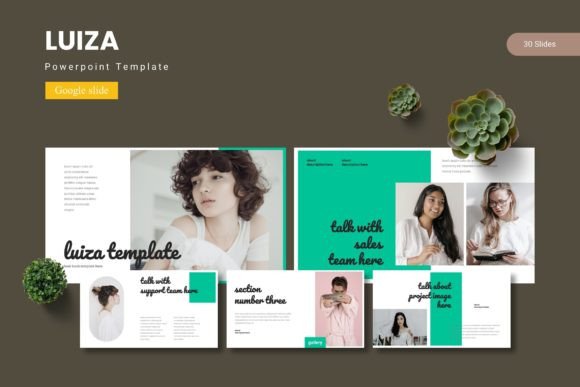
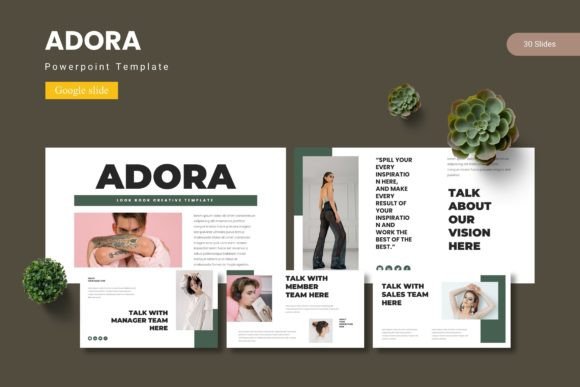
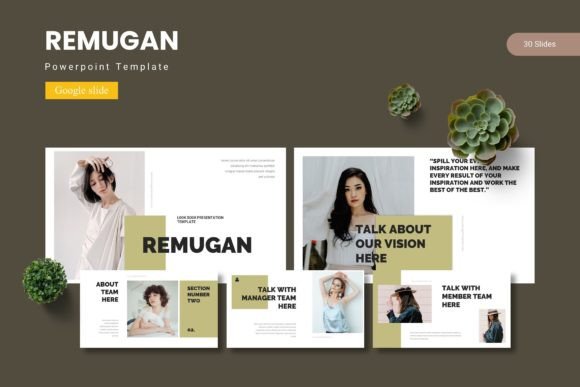
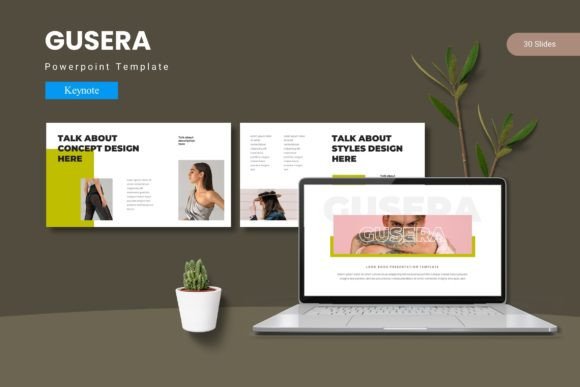
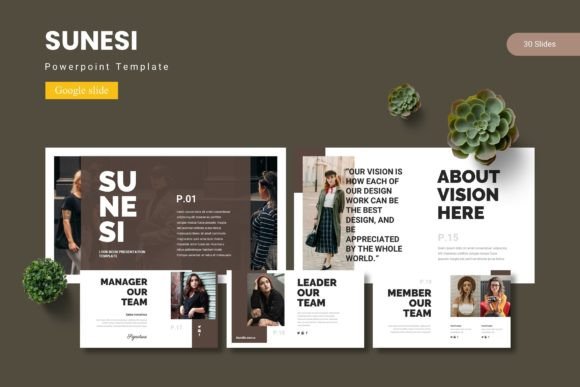
Sunesi is a complete presentation toolkit designed for Google Slides and PowerPoint. It includes 150 total slides spread across five premade color variations, with 30 slides per template set. You get section break slides, infographics built on master slides, pixel-perfect illustrations, and picture placeholders that let you drag and drop images directly. Whether you work in marketing, run a small business, teach a course, or pitch to investors, this template gives you a structure so you can focus on the message rather than the mechanics.
What Makes Sunesi Different from a Basic Template
Not all templates are created equal. Many give you a handful of slides and call it a day. Sunesi offers 150 slides organized into five distinct color schemes — meaning you are not stuck with one look. Each color variation includes 30 slides, so you can maintain consistency across a full deck regardless of which palette you choose. That matters when you need to match existing brand guidelines or simply prefer a cooler or warmer tone for a specific audience.
The file comes as five separate PPTX files plus a dedicated Google Slides folder. You also get a readme file, font information, and photo credits. The folder structure is clear, so you do not waste time figuring out which file contains what.
Key features that stand out include:
- Handcrafted infographics based on master slides — edit once, update everywhere
- Pixel-perfect illustrations that remain crisp at any resolution
- Fully resizable and editable graphics — no flattening or locked elements
- Picture placeholders that let you drop in images without breaking layout
- Gallery and portfolio slides ready for visual showcases
- Section break slides to organize long presentations into digestible parts
For Entrepreneurs and Startup Founders
When you are pitching to investors or presenting at a demo day, every slide matters. You need to communicate traction, market size, product features, and team credibility — all within a tight time frame. Sunesi gives you slide layouts purpose-built for data, visuals, and storytelling. The infographic slides let you display metrics in a way that is easy to grasp at a glance. The portfolio slides work well for showcasing product screenshots or customer logos. And because the template is fully editable, you can tweak colors to match your brand without starting from scratch.
For Marketers and Content Creators
Marketing presentations often need to serve multiple purposes: internal strategy decks, client proposals, webinar slides, or social media carousels. Having a consistent visual foundation across all these formats saves time and reinforces brand recognition. The five color variations in Sunesi allow you to adapt the same deck for different campaigns or client preferences. The drag-and-drop image placeholders are especially useful when you are pulling in screenshots, mockups, or photos regularly — no need to resize and reposition every single time.
For Educators and Trainers
Teaching adults in a workshop, online course, or corporate training setting requires slides that support learning without overwhelming the audience. Sunesi includes section break slides that help chunk information into manageable sections. The gallery slides work well for case studies or before-and-after examples. Infographics clarify complex concepts faster than bullet points ever could. And since the template is built on master slides, you can update recurring content — like your contact info or a recurring diagram — in one place, and it propagates across the entire deck.
For Freelancers and Consultants
Freelancers often juggle multiple clients, each with their own visual preferences. Sunesi flexibility shines here. You can start with one color scheme for a client in finance, switch to another for a creative agency project, and keep the same underlying structure. The 150-slide library means you have layouts for everything: agendas, team introductions, timelines, pricing tables, testimonials, and next steps. That breadth reduces the need to build custom slides from zero, which directly impacts your hourly efficiency and final deliverable quality.
Speed of Execution
The most obvious benefit is time saved. Instead of spending 30 minutes aligning text boxes and choosing fonts, you open a ready-made slide, replace placeholder content, and move on. The master slide structure means you can change the font, color, or background across all slides in seconds. For someone who creates presentations weekly, that efficiency adds up to hours saved per month.
Visual Consistency
Inconsistent slide design distracts audiences. When fonts change, margins shift, or colors clash, your message loses credibility. Sunesi enforces consistency through its master-based design. Each of the five color variations follows a unified system for headings, body text, icons, and image treatments. That coherence makes your deck look polished even if you are not a designer.
Brand Alignment
While Sunesi comes with five built-in color schemes, all elements are customizable. You can adjust any color, font, or graphic to align with your existing brand guidelines. The template serves as a starting point, not a rigid cage. If your brand uses a specific shade of blue or a particular sans-serif font, you can apply those changes across the entire deck in minutes.
Professionalism Without Overdesign
Some templates look flashy but lack substance. Sunesi strikes a balance: clean layouts, purposeful infographics, and subtle visual hierarchy. It does not overwhelm the viewer with excessive animations or decorative elements. The design supports your content rather than competing with it — which is exactly what you want in a business or educational context.
Practical Considerations When Using Sunesi
Before you start building your deck, here are a few tips to get the most out of this template.
Start by selecting your color scheme. Review the five options and pick the one closest to your brand or audience preference. You can fine-tune later, but starting with the right palette reduces rework.
Use the master slides for global edits. If you need to change fonts or update recurring elements, edit the master slide. That change will apply to every slide based on that master, saving you from manual updates.
Take advantage of picture placeholders. Drag your images into the designated placeholders rather than inserting them separately. This maintains consistent size, cropping, and positioning across all slides.
Leverage section breaks for long decks. If your presentation runs 20 slides or more, insert section break slides at logical intervals. This gives your audience a mental reset and makes the flow easier to follow.
Customize infographics with your own data. The handcrafted infographics are fully editable. Swap out sample data for your real numbers, adjust the charts or diagrams, and the visual will update accordingly.
Who Should Consider Sunesi
This template fits a wide range of users, but it is especially useful if you:
- Create presentations regularly and want to reduce repetitive design work
- Need a consistent visual system across multiple decks or clients
- Present to external audiences where professionalism matters
- Use Google Slides as your primary presentation tool
- Want access to a large slide library without paying for individual templates each time
If you only present once a year and do not care about visual polish, a simple template might be enough. But if presentations are part of how you communicate value, teach concepts, or win business, Sunesi provides a solid foundation that respects both your time and your audience attention.
Final Thoughts on the Sunesi Google Slide Template
A presentation template should never feel like a crutch. It should feel like a shortcut that still lets you drive. Sunesi does that by offering real variety — 150 slides, five color schemes, and thoughtful details like section breaks and drag-and-drop images — without locking you into a rigid format. It works across professional, educational, and creative contexts because it prioritizes clarity and consistency over decoration.
Whether you are preparing a quarterly business review, a client pitch, a workshop module, or a personal portfolio, having a reliable slide foundation lets you focus on what matters: the story you are telling and the value you are delivering. Sunesi gives you that foundation with room to adapt, and that flexibility is what makes it more than just another template pack.