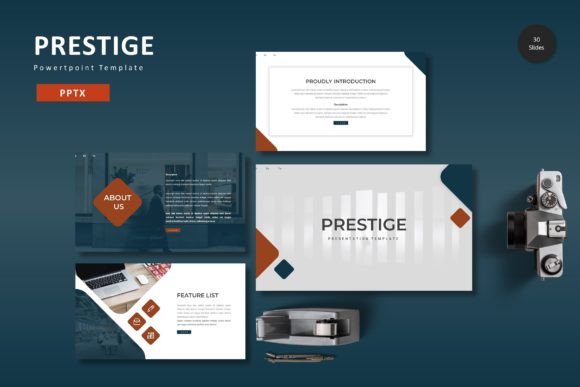
Prestige – Powerpoint Template: Build Presentations That Combine Clarity and Visual Impact
Creating a presentation that communicates ideas clearly without drowning in slides or confusing visuals is a challenge most professionals face regularly. You might have the content ready, the data analyzed, and the story mapped out, but the moment you try to translate that into slides, the process can stall. The Prestige – Powerpoint Template addresses this exact gap by offering a structured yet flexible design system that helps you move from outline to finished presentation faster, with fewer revisions.
Rather than treating slide design as an afterthought, this template is built to support the full lifecycle of a presentation—from early planning and content structuring through to final delivery and reuse. It fits naturally into workflows where clarity, consistency, and speed matter equally.
Understanding the Structure of the Prestige Template
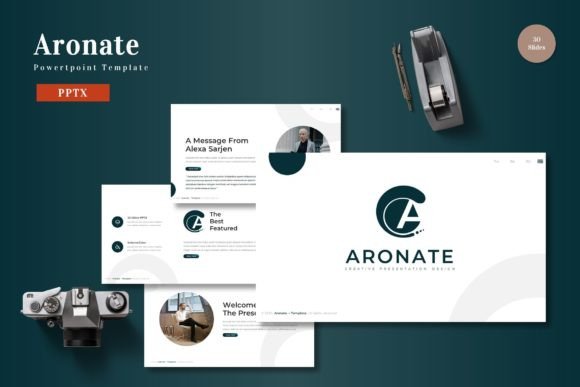
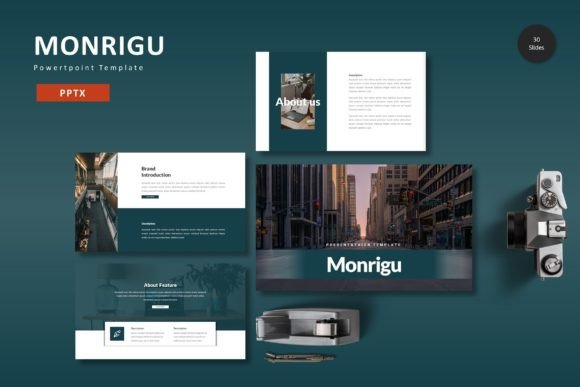
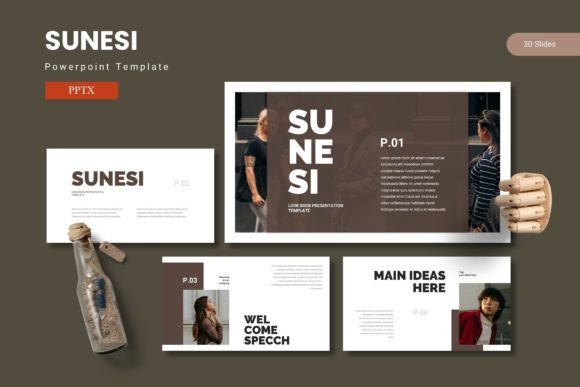
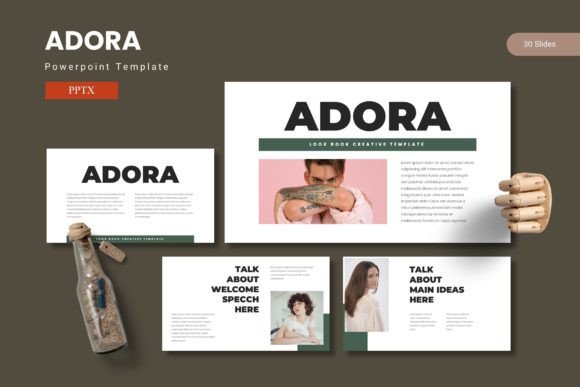
At its core, the Prestige – Powerpoint Template provides 150 total slides organized across 5 premade color schemes. Each color variation includes 30 slides, giving you a complete set of layouts without needing to mix and match between unrelated templates. The breakdown includes section break slides, handcrafted infographics, gallery and portfolio slides, and pixel-perfect illustrations that remain fully resizable and editable.
What sets it apart from generic PowerPoint templates is the underlying reliance on master slides. Rather than manually adjusting fonts, colors, and alignment on every slide, you can make global changes that cascade through the entire deck. This structure becomes especially useful when you work with teams or need to maintain brand consistency across multiple presentations.
The template also includes picture placeholders with drag-and-drop functionality. This means you can insert images directly into designated frames without spending time cropping, resizing, or repositioning. For anyone who regularly incorporates screenshots, product photos, diagrams, or team headshots, this small feature alone can save hours during the final polish phase.
How the Prestige Template Fits Into Your Workflow
Presentations rarely exist in isolation. They are part of a larger process, whether you are pitching to a client, reporting quarterly results to stakeholders, teaching a course, or sharing a creative portfolio. The Prestige – Powerpoint Template is designed to integrate into that process at multiple points.
Before the Project: Planning and Content Structuring
When you are still in the planning phase, the template helps you visualize the final output early. By reviewing the available slide types—section breaks, infographic layouts, data slides, and portfolio pages—you can map your content to the most appropriate format before writing a single line of text. This front-loaded planning reduces the need to rework slides later because you already know how each piece of information will be displayed.
For example, if you know your presentation requires three key data points and a process flow, you can identify the infographic and gallery slides that match those needs early. This clarity also helps when delegating sections to team members, since everyone understands the visual framework they are working within.
During Construction: Streamlining Slide Assembly
Once your content is ready, the template accelerates the actual slide-building process. Because all graphics and icons are vector-based and resizable, you can scale elements up or down without losing quality. This is particularly useful when you need to adapt a slide layout to fit longer text blocks or additional data without breaking the design.
The color variations also reduce friction during this stage. If you are preparing a deck for a client whose brand uses a specific palette, you can choose the color scheme that aligns closest and then fine-tune individual elements. Starting from a coherent color system is much faster than building one from scratch, especially when you are juggling multiple presentations at once.
Picture placeholders with drag-and-drop functionality mean you can insert images directly into the slide without adjusting frames. For product shots, team photos, or before-and-after visuals, this keeps the assembly process moving without interruptions.
After the Presentation: Repurposing and Extending Your Work
A well-built presentation should not be a one-time asset. The Prestige – Powerpoint Template supports reuse in several ways. You can repurpose individual slides as standalone assets for social media posts, internal documentation, or one-pagers. The infographics, in particular, work well outside the context of a full deck because they are designed to convey information independently.
Additionally, the template includes 30 slides per color variation, which means you can build multiple versions of the same presentation for different audiences. For instance, a single research report can be adapted into a client-facing deck using one color scheme and a team-internal version using another, without redesigning the entire slide structure.
Integrating Prestige with Other Tools and Assets
No template operates in a vacuum. The Prestige – Powerpoint Template is built to work alongside the tools and resources you already use. Because it is a native PowerPoint file (PPTX), it integrates with Microsoft PowerPoint, PowerPoint for Mac, and most major presentation software that supports the format. There are no proprietary plugins or external dependencies to install.
If you work with design tools like Canva, Adobe Illustrator, or Figma for custom graphics or branding assets, you can export those visuals and drop them directly into the picture placeholders. The slide layouts are designed to accommodate a wide range of image dimensions, so you do not need to crop or resize your assets beforehand.
For teams using cloud-based collaboration platforms like Google Drive, Dropbox, or OneDrive, the PPTX files can be shared, reviewed, and edited in real time. This makes it easier to gather feedback from stakeholders without managing multiple file versions or dealing with compatibility issues.
The template also plays well with data visualization tools. If you generate charts and graphs in Excel, Google Sheets, or specialized analytics software, you can export them as images or embed them directly into the designated infographic and data slides. The handcrafted infographics within the template can also serve as inspiration for custom visualizations, helping you move beyond basic bar charts and pie graphs.
Practical Observations for Long-Term Use
Over time, the Prestige – Powerpoint Template becomes more valuable as you build a library of presentations around it. Because the master slides enforce consistent spacing, typography, and color usage, your decks will maintain a coherent look even if they are created months apart by different team members. This consistency is especially important for freelancers and small business owners who may not have a dedicated design department but still want to project a professional image.
One practical tip: when you first start using the template, invest a small amount of time in setting up your preferred defaults within the master slides. Adjust the font choices, color palette, and logo placement to match your brand before creating your first deck. This upfront effort pays off every time you build a new presentation, because those changes are already in place.
Another consideration is file management. The main file included is a PPTX with 5 color schemes, each containing 30 slides. If you work on multiple projects simultaneously, create a folder structure that separates color schemes by client or project type. This way, you can quickly open the right variation without digging through the entire file each time.
The template also handles well when you need to export slides as PDFs, images, or even video frames. Since the illustrations and graphics are vector-based, the output remains sharp across formats. If you present remotely via Zoom, Teams, or Google Meet, the clean layouts translate well to shared screens without visual clutter.
Who Benefits Most from This Approach
The Prestige – Powerpoint Template is not limited to one specific profession. Marketers can use the portfolio and gallery slides to showcase campaign results. Educators can build lecture decks with clear section breaks and infographics. Entrepreneurs can create pitch decks that communicate business models without overwhelming investors. Freelancers and bloggers can produce media kits or content calendars that look polished without requiring design software.
The common thread among these users is the need to produce professional presentations efficiently, without reinventing the design wheel each time. The template eliminates the guesswork around layout, color, and typography so that you can focus on the content itself.
For teams, the template reduces the friction of handoffs. When multiple people contribute slides to a single deck, the master slide structure ensures that slides remain visually consistent regardless of who builds them. This is a practical advantage in agency settings, internal training departments, and collaborative project environments.
Final Considerations for a Smooth Integration
Before you start using the Prestige – Powerpoint Template, take note of a few logistics. The preview images you see online are for illustration purposes only and are not included in the download. The template includes the PPTX files, a readme first document, and font and photo information so you know exactly what assets you have and where to find any supplemental resources if needed.
Since the template relies on master slides, it works best when you keep all slides within the same file rather than copying slides between unrelated presentations. If you do need to combine slides from different color variations, be mindful of font and color inheritance to avoid unexpected formatting changes.
Finally, treat the template as a starting point, not a rigid framework. The layouts are designed to be customized, so feel free to move elements, replace graphics, and adjust proportions to suit your specific content. The value of the template lies in the foundation it provides, not in enforcing a fixed design.
By integrating the Prestige – Powerpoint Template into your presentation workflow—before you start writing slides, during the assembly phase, and after delivery when you repurpose content—you save time, maintain consistency, and produce decks that communicate with clarity. Whether you are preparing for a boardroom pitch, a classroom lecture, or a community workshop, having a solid template in place lets you focus on what matters most: the message you want your audience to remember.